Timetracker app
How do you create a seamless experience for diverse users with varying needs and tasks?
COMPANY

ROLE
UX Designer
EXPERTISE
Product Design
CraftING a unified experience for diverse users in one application.
Background
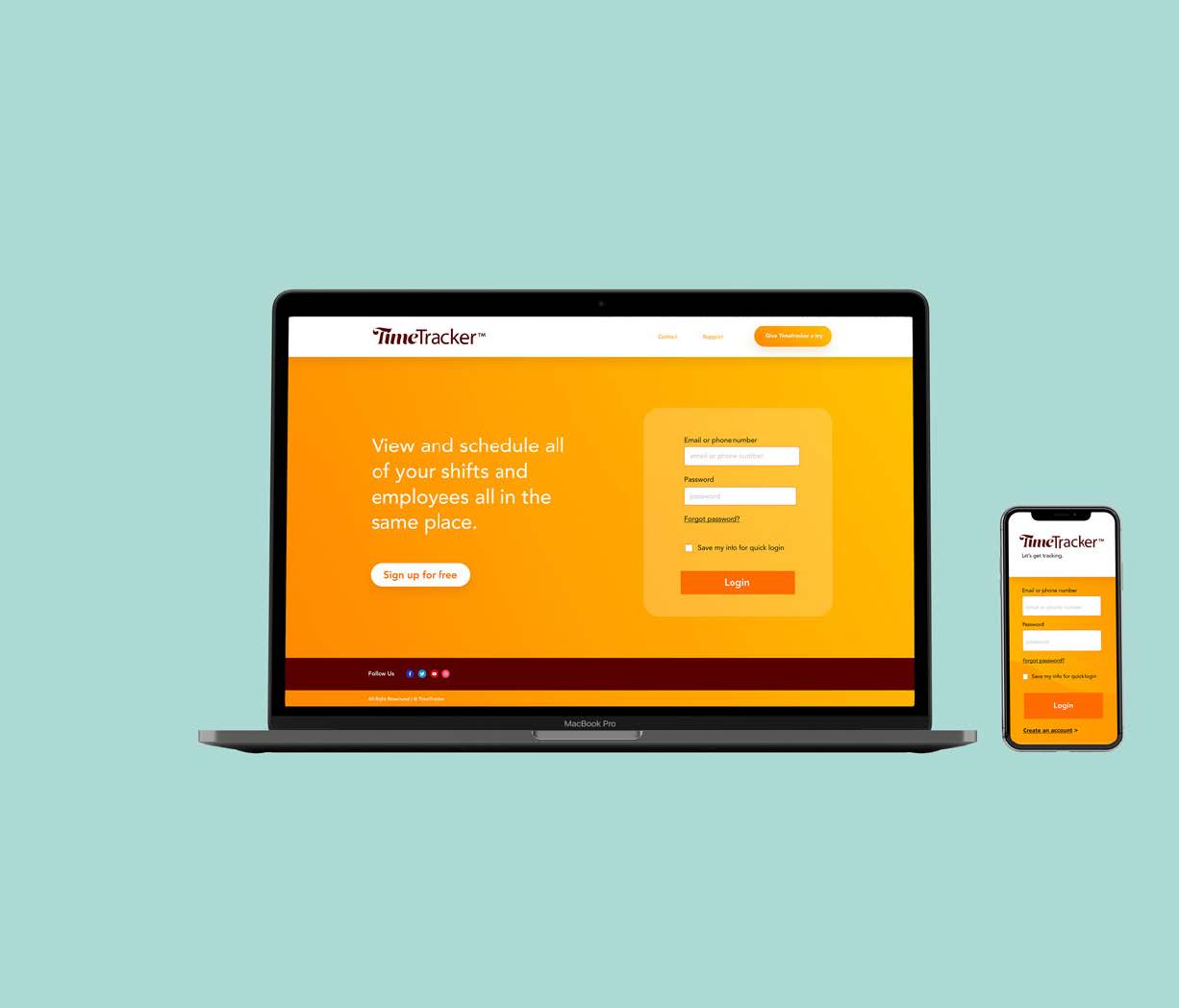
TimeTracker™ was designed as a platform for small businesses to help employees clock in and out quickly through a dedicated app and allow supervisors the ease of managing their staff’s work schedule through a connected web browser.
Challenge #1
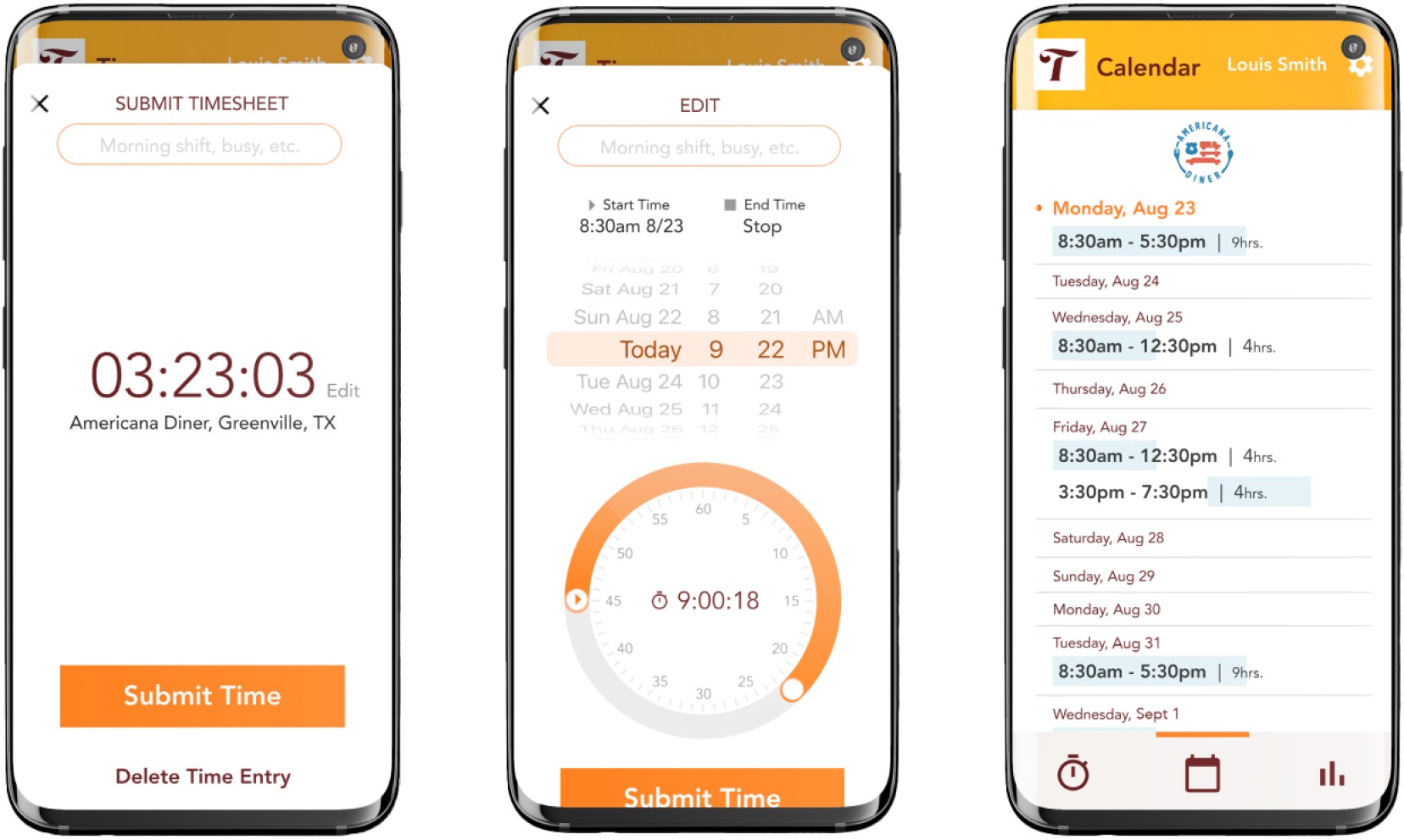
Design a dead simple interface for employees to log in/out quickly and track their hours.
Challenge #2
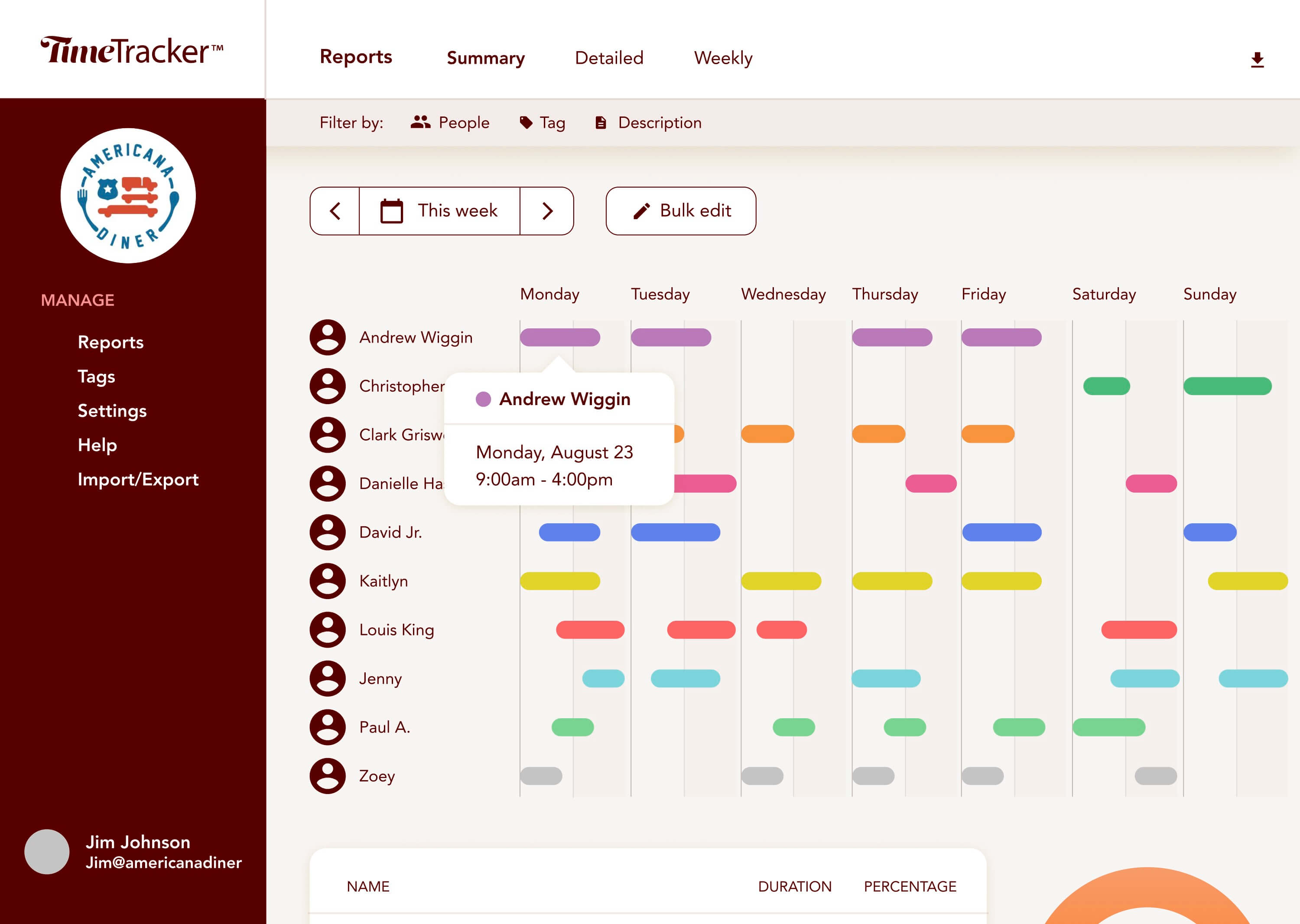
Create an easy-to-use system for employers to run reports and track employees hours.
Designed the TimeTracker™ app for small businesses, enabling employees to clock in/out easily and supervisors to manage schedules efficiently via web browser.
Research & Planning
The project began with understanding the needs of both employees and supervisors in small businesses. The primary challenge was to design a user-friendly interface that allowed employees to clock in and out quickly while enabling supervisors to manage work schedules and track hours effortlessly. Initial planning involved outlining the core functionalities required for both employees and managers.
Design & Prototyping
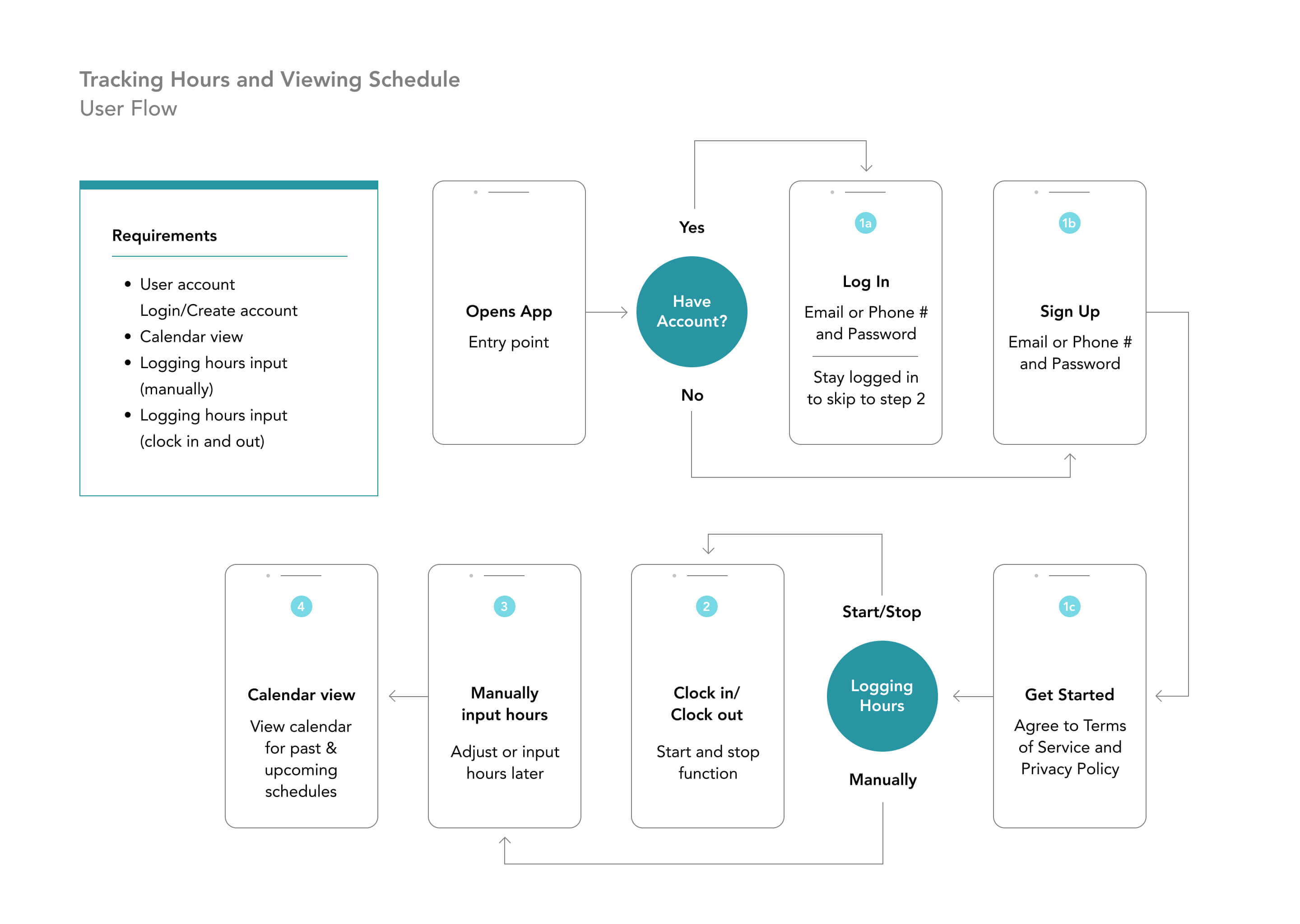
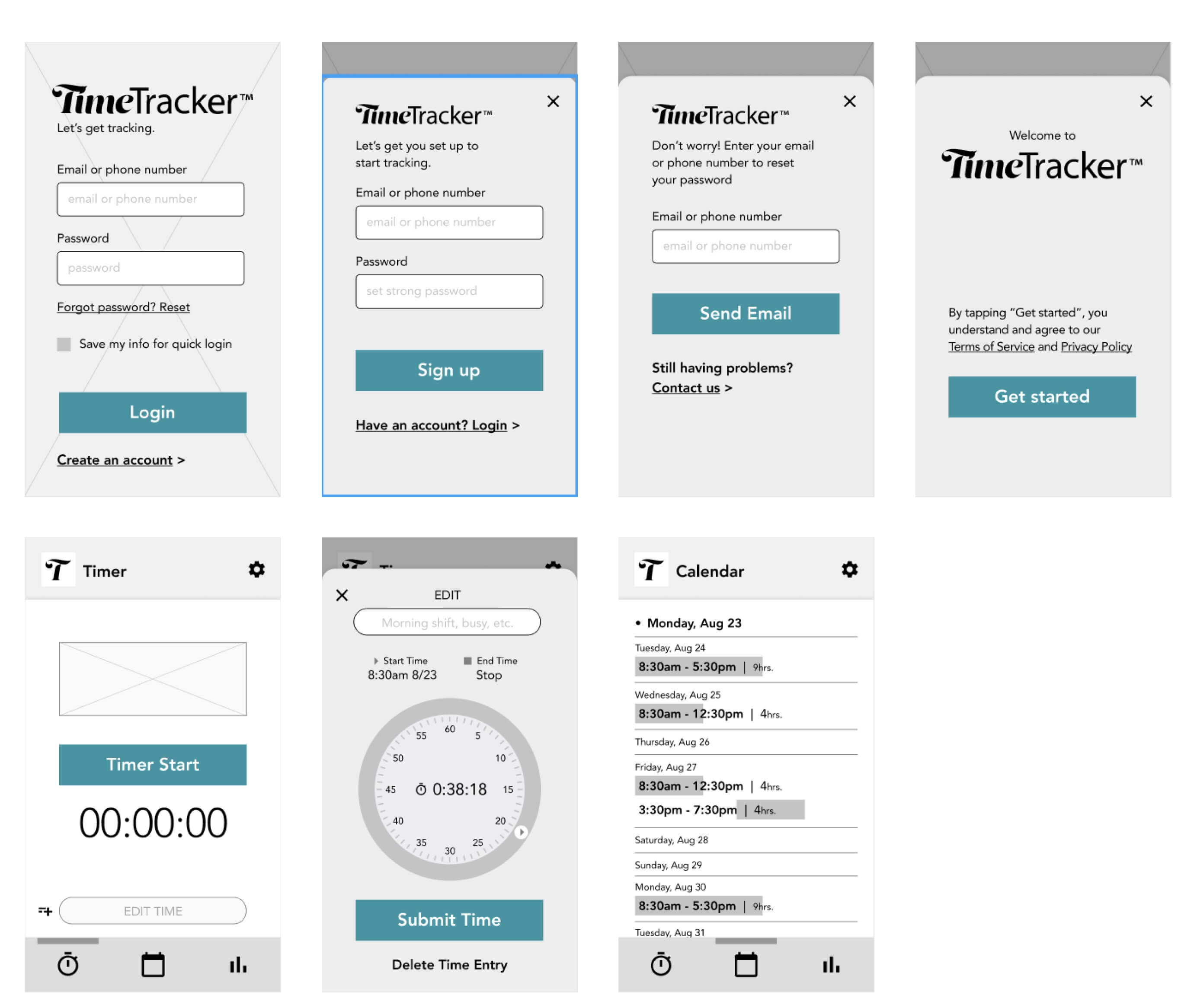
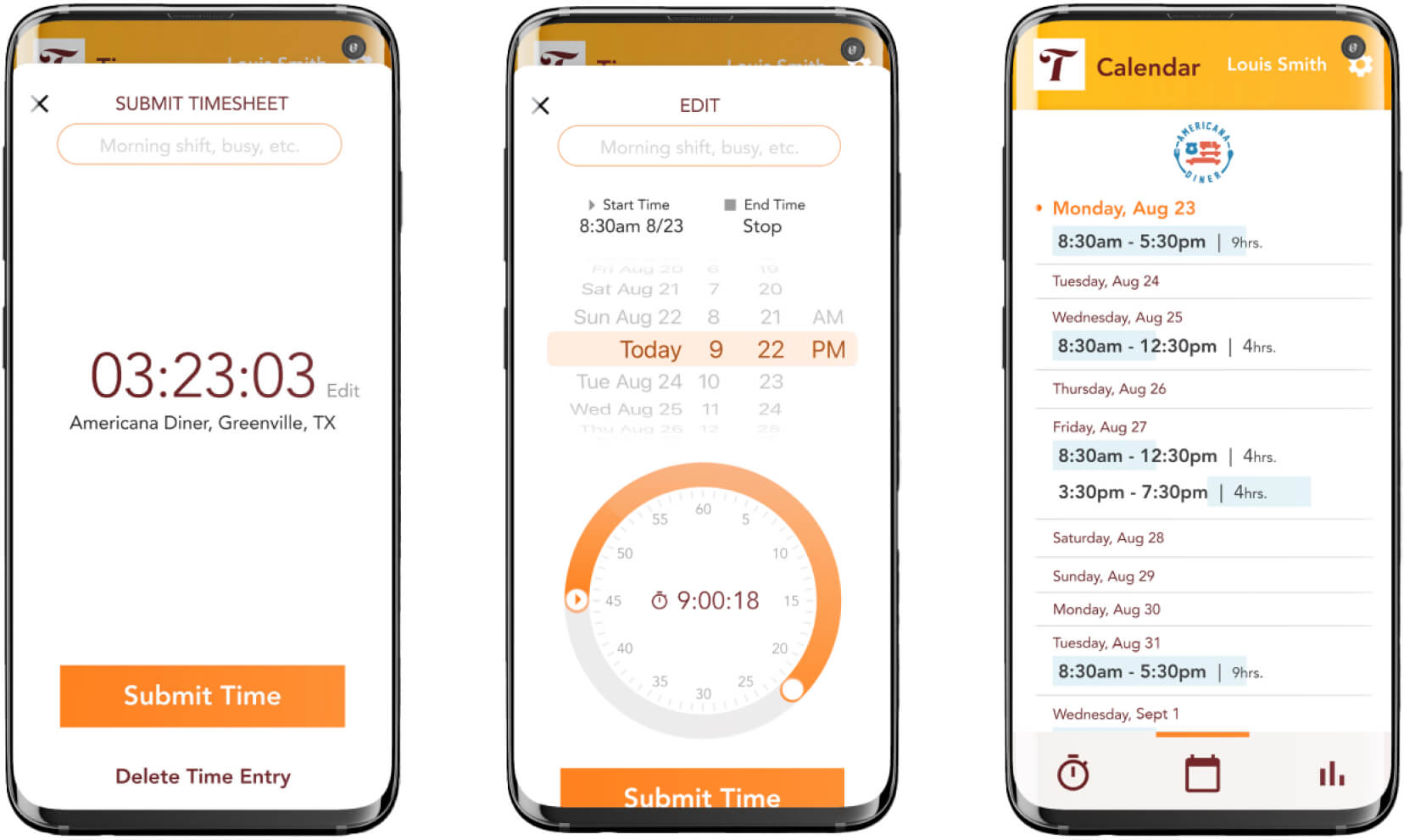
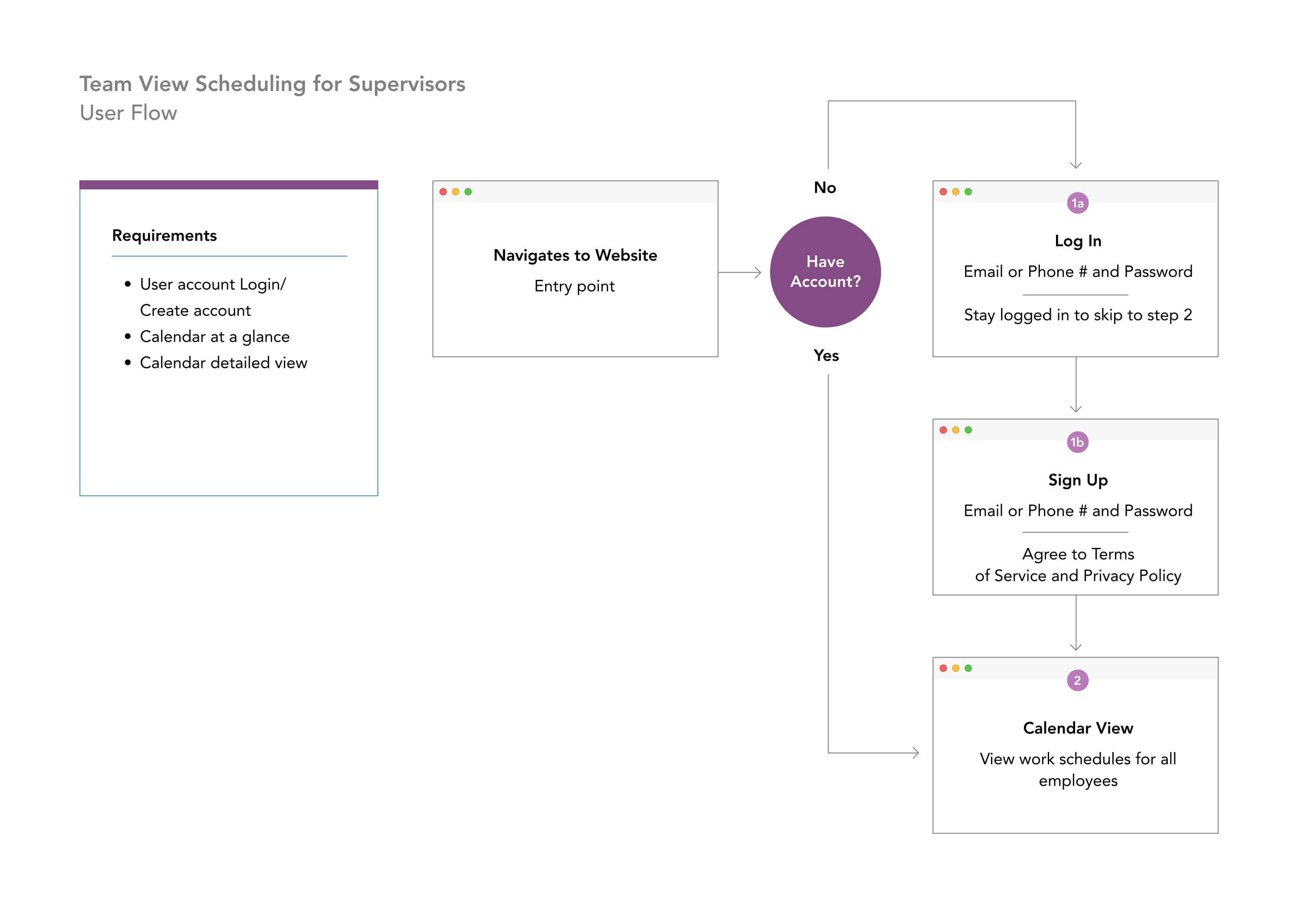
During the design phase, I developed a straightforward user flow for employees, allowing them to start and end their shifts with a single tap. The app included features for adding comments, editing timesheets, and viewing upcoming schedules. High-fidelity wireframes were created to show how employers could customize the platform with their logo and company colors. For managers, the interface was designed to provide a quick overview of the calendar, detailed shift information, and hover-state tooltips for finer details.
Development & Implementation
I collaborated closely with developers to implement the designed features, ensuring the interface was intuitive and functional. The development process emphasized maintaining a simple, clean design that met the needs of both user groups. Regular feedback loops ensured the implementation aligned with the initial design vision.
Testing & Optimization
The final phase involved rigorous testing to ensure the app met user requirements and functioned seamlessly. User feedback was collected to make necessary adjustments, enhancing the overall user experience. The project was completed within one sprint (5 days), delivering a cohesive, easy-to-use platform for both employees and supervisors. The outcome was a flexible, customizable system that effectively streamlined time tracking and schedule management for small businesses.