atmo Augmented Reality App

How do you integrate the needs of both the client and the user, streamlining and clarifying the content?

COMPANY

ROLE

UX Designer
EXPERTISE
Product Design
UX
UI
EXPERTISE
Product Design
UX
UI
Weather app image
Weather app image
Weather app image
Weather app image
Weather app image
Weather app image
Weather app image

The Project

The Project

The Project

designing a cohesive user experience for mobile, web and ar.

Background

Atmo was an Augmented Reality startup whose main product was an app targeting the oil and gas, manufacturing, and farming industries. The app allowed the user to connect with experts via video call to help solve problems in the field remotely; the remote expert could annotate and identify necessary parts and fixes in 2D and 3D.

My responsibilities with this project included designing, implementing and validating UX/UI for mobile, web and wearable companion applications. Collaborating closely with Android and iOS application developers to guarantee the core product software delivers an exceptional user experience was another of my tasks. This project was a proof of concept and while there was a seed of something great, there was not enough capital to keep the project going.

The Challenges

The Challenges

The Challenges

Challenge #1

Design a simple-to-use experience to work across multiple devices and layers of content.

Challenge #2

Consider the needs of both the end-user in the field and the experts elsewhere.

The Process

The Process

The Process

Designed and validated a user-friendly Augmented Reality app for Atmo, enhancing remote problem-solving in oil, gas, manufacturing, and farming with mobile, web, and wearable interfaces.

Research & Planning

The project began with understanding the needs of end-users in the field and remote experts in the oil, gas, manufacturing, and farming industries. The challenge was to design a simple, cohesive user experience across mobile, web, and AR platforms. Early planning involved identifying key features like 2D/3D scanning and meeting management to ensure the app's functionality met user requirements.

Design & Prototyping

The app featured options for starting meetings, inviting attendees, and using camera functions for 2D or 3D scanning. I designed the interface to be minimalistic and user-friendly, ensuring quick comprehension of its features. The app included capabilities for managing meetings, favoriting, searching, and calling, crucial for field operations. The expert view allowed remote experts to annotate and switch between 2D and 3D environments, aiding in problem-solving. Prototypes also showcased AR glasses use, highlighting parts with additional information for field workers.

Development & Implementation

Collaborating closely with Android and iOS developers, we implemented the designed features to ensure a seamless user experience.

Testing & Optimization

The final phase involved validating the UX/UI across all platforms, ensuring it was user-friendly and functional. Feedback from beta testing was used to make necessary adjustments, enhancing the overall experience. Despite the project's potential, it lacked the capital to continue beyond the proof-of-concept stage. However, the outcome was a simple, effective interface that worked seamlessly across multiple devices, demonstrating the viability of AR in industrial applications.
  • end-user

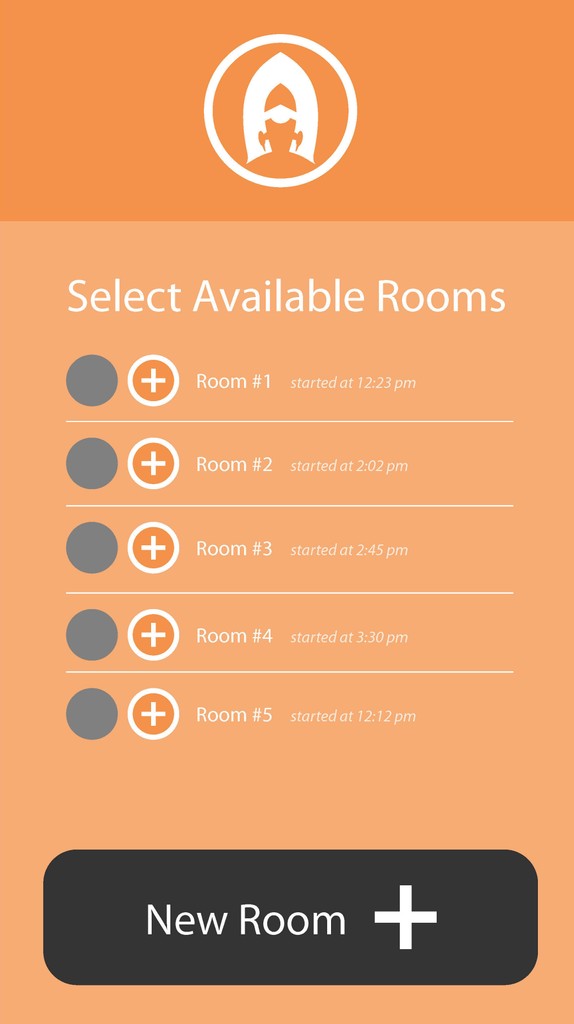
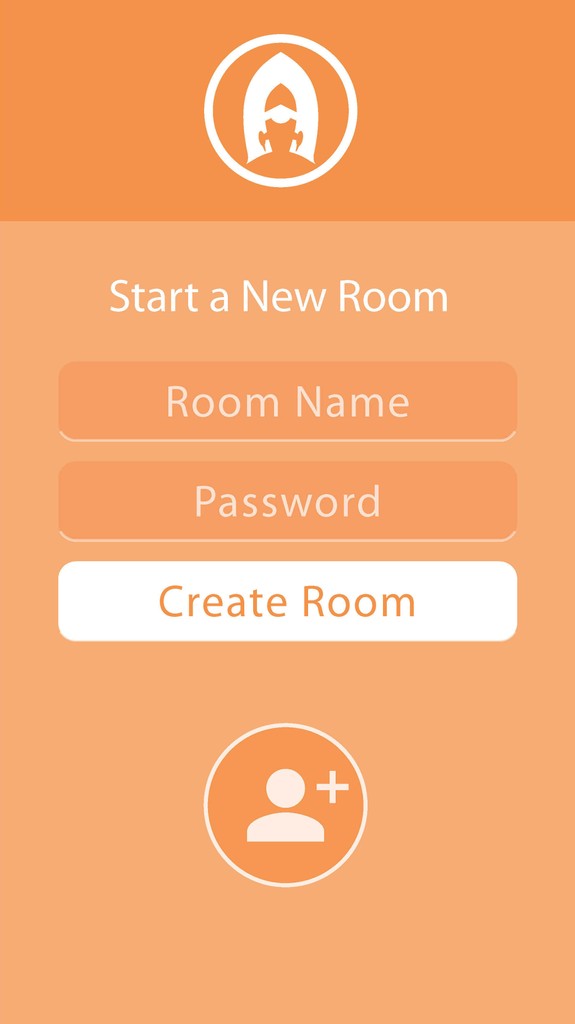
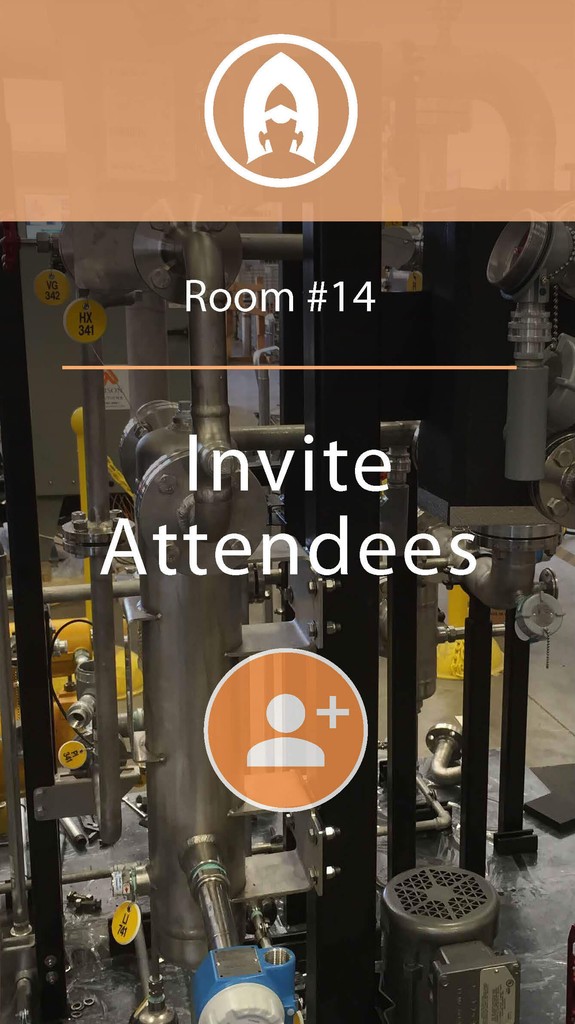
    When the end-user opens the app, they are presented the option to start a meeting and invite attendees. The color palette was intentionally limited in this beta stage so the product could transform as we received customer feedback.

    Weather app image
  • a picture is worth

a thousand words

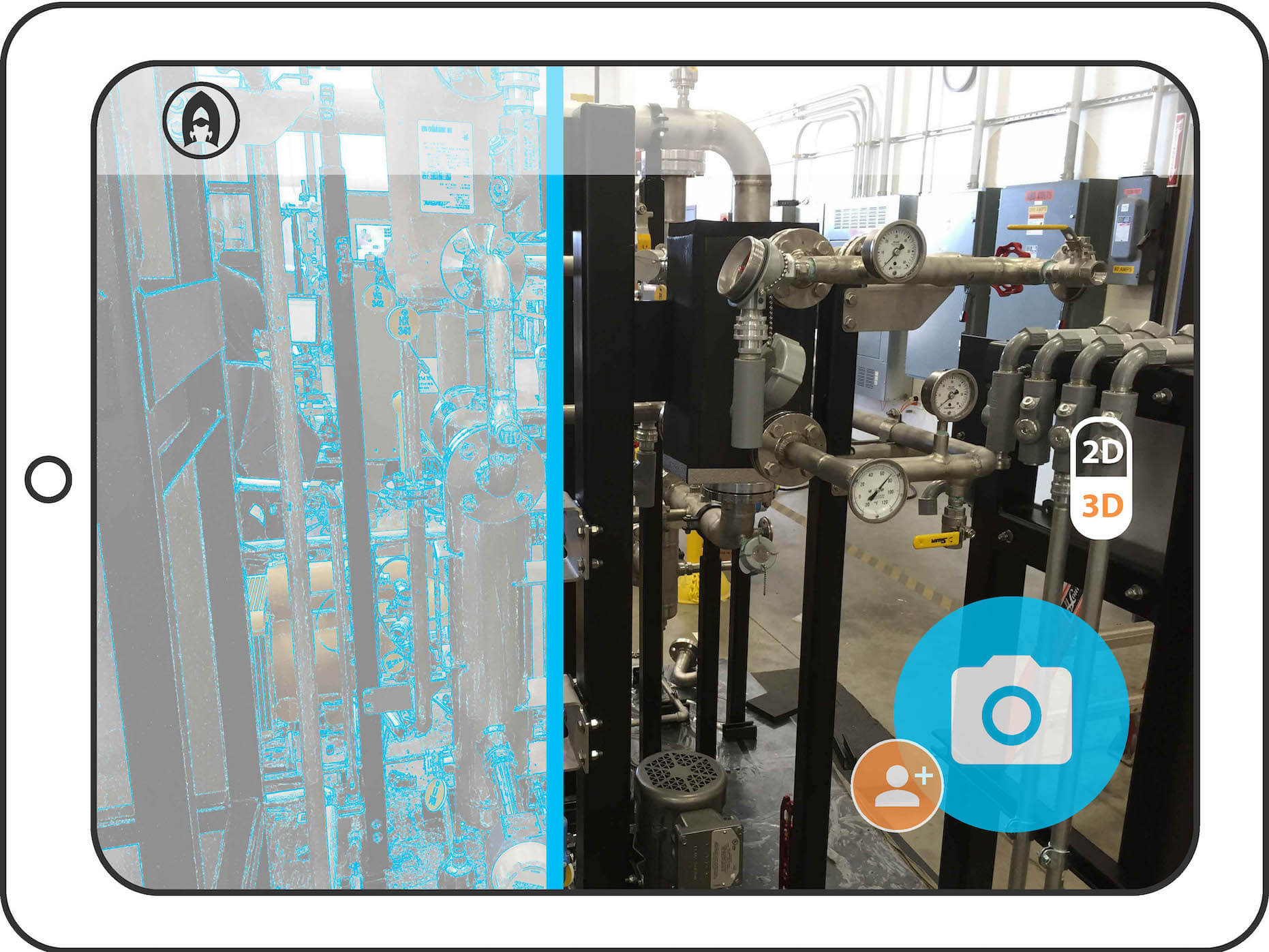
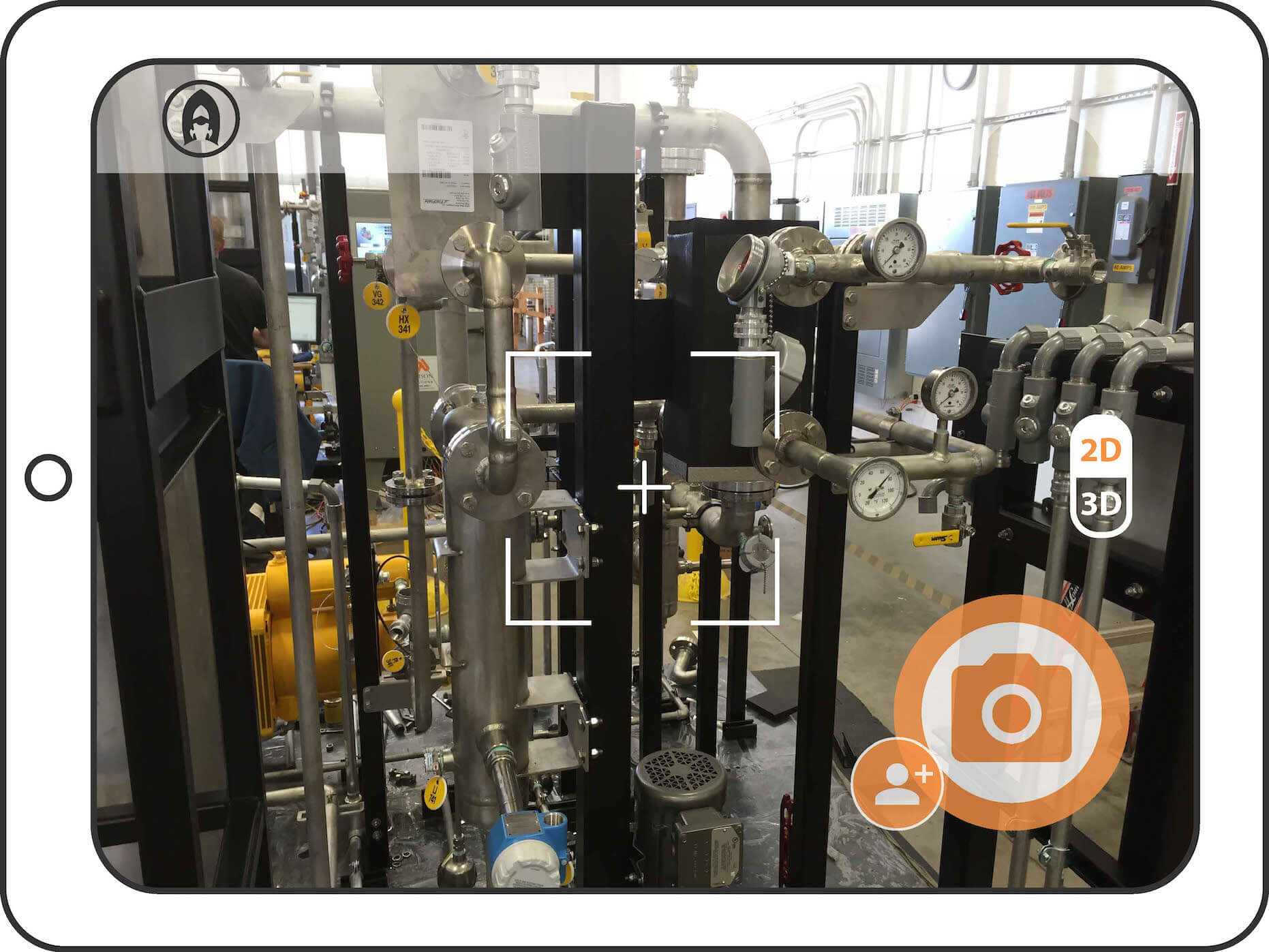
    This screen shows the camera function with the option for 2D or 3D scanning. I designed the interface with limited UI. I wanted the user to very quickly understand the features.

  • 3d scanning

    This screen shows camera scanning to better display the parts in a 3D environment, which can then be shared with an off-site expert.

  • room of requirement

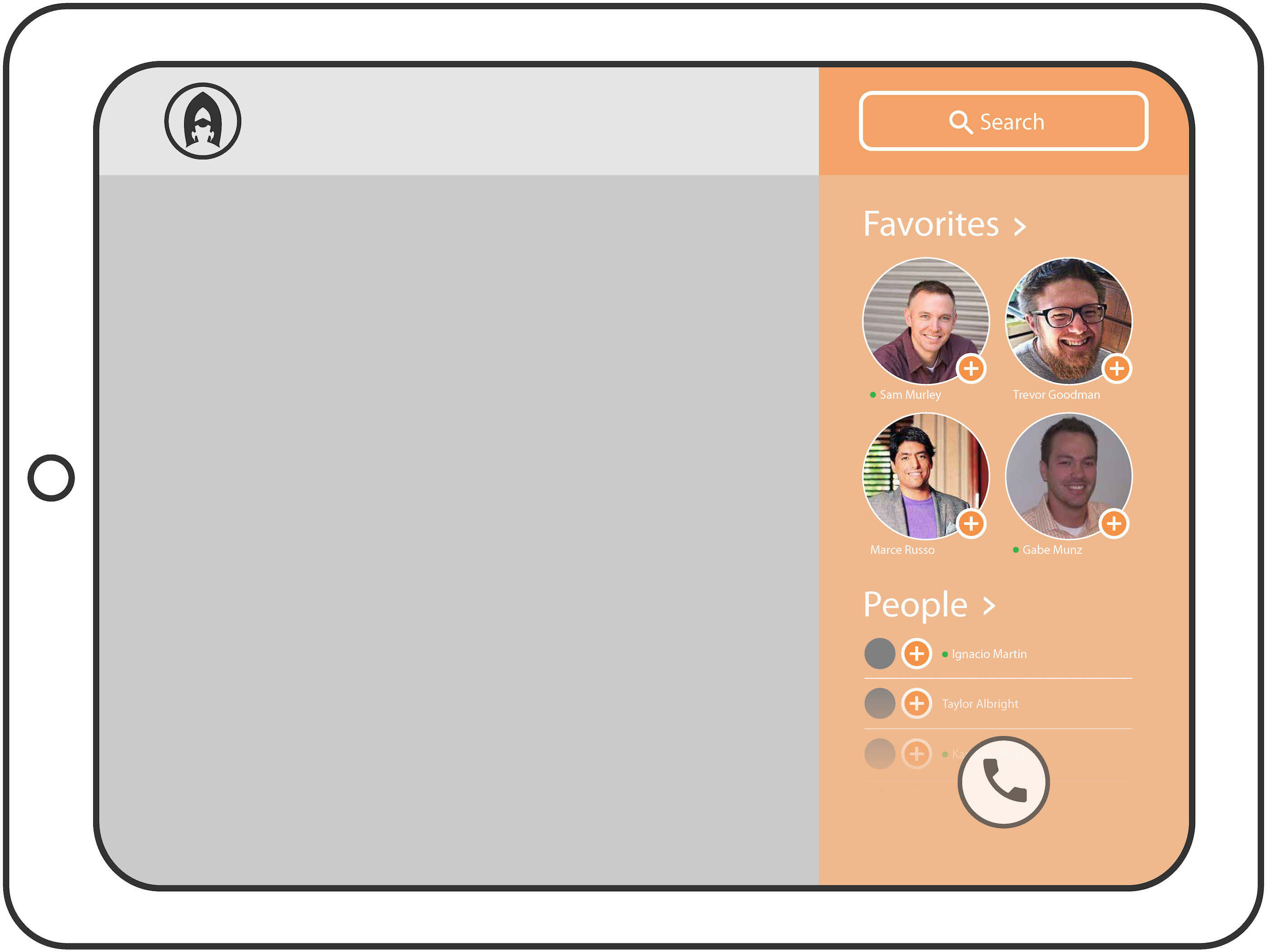
    Managing meetings was an important feature of the Atmo app. This screen shows the Favorites, Search and calling capabilities.

  • ar glasses

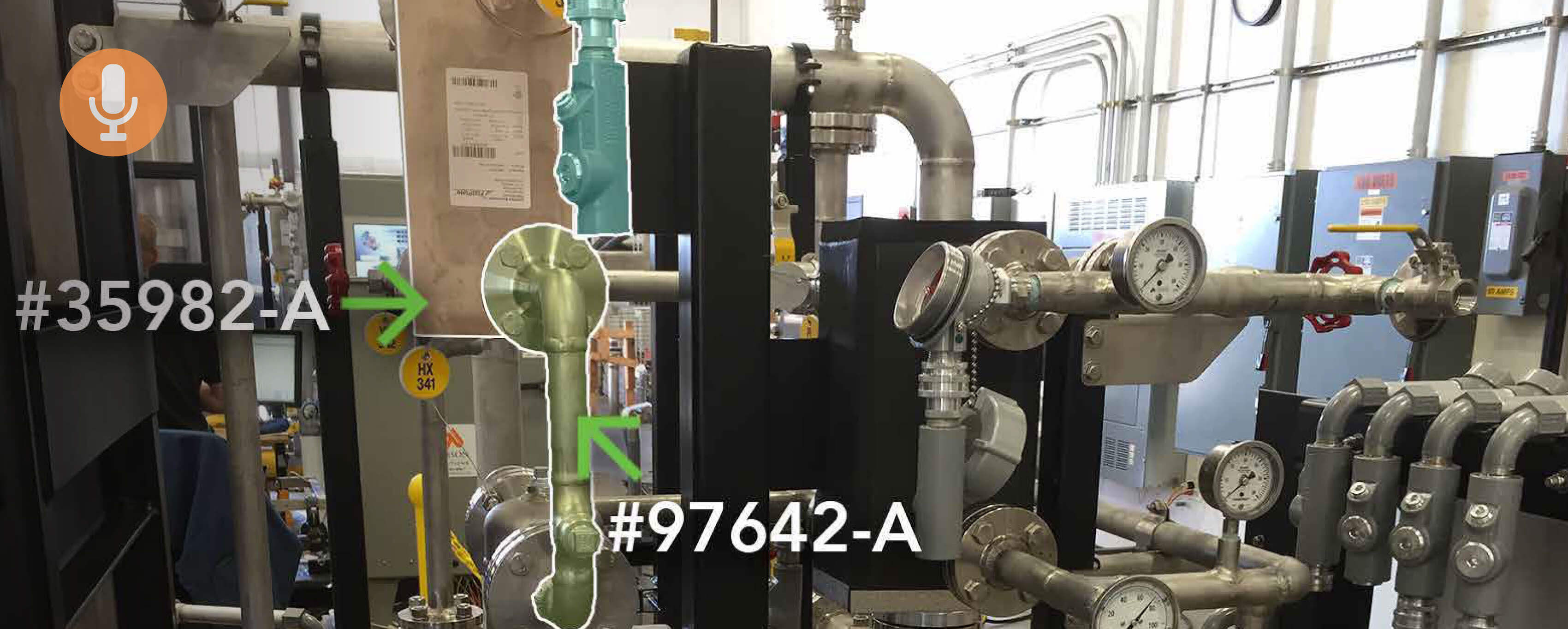
    Because the main users of the Atmo app would be line workers out in a field or in a manufacturing setting, it was important to show a use case for AR glasses or goggles. This screen shows highlighted parts with additional information.

  • EXPERTs’ EXPERIENCE

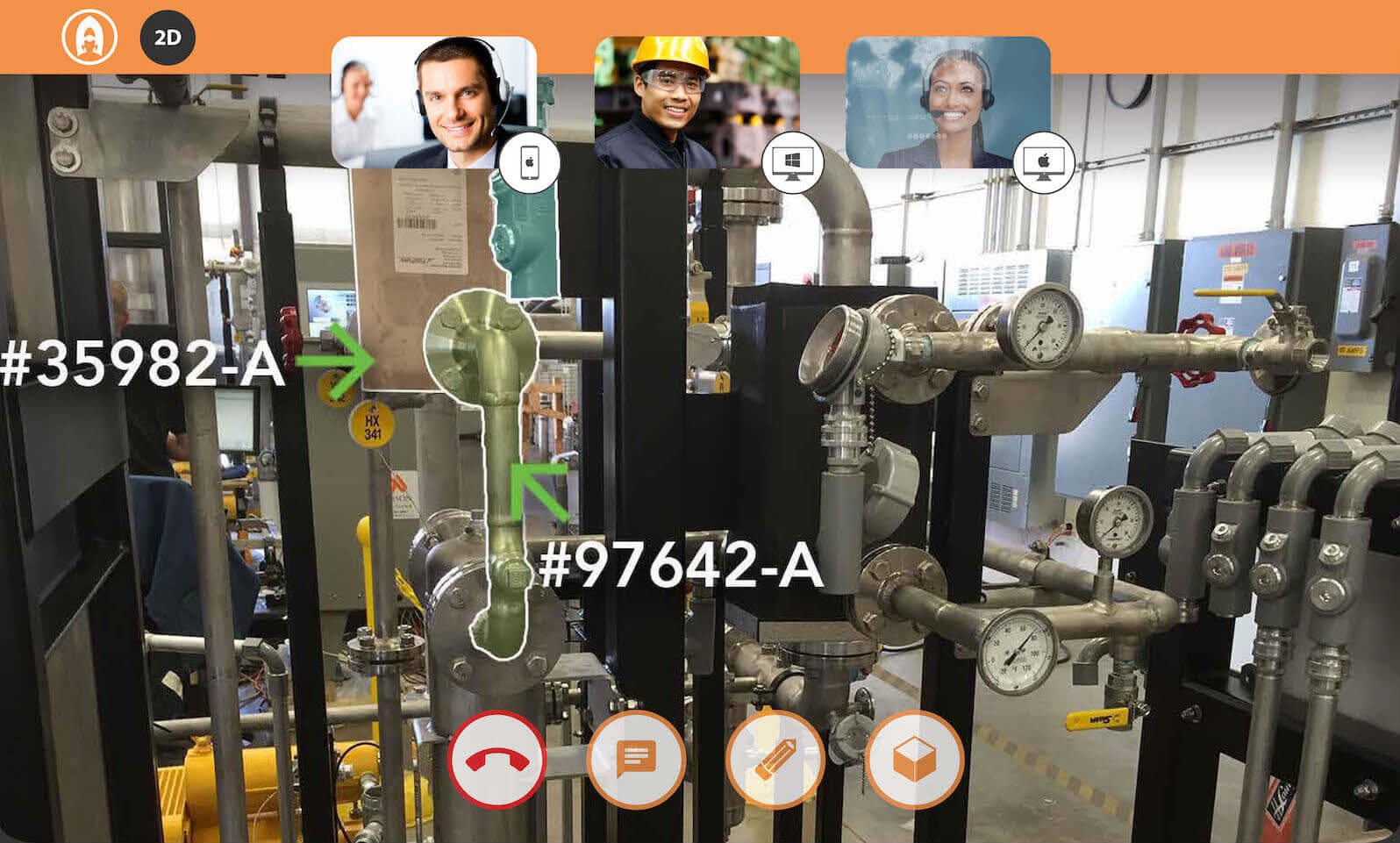
    This is the Expert view. The expert user can view the end-user’s video, annotate and move between a 2D and 3D environment to help with the solution.

  • VIRTUAL REALITY

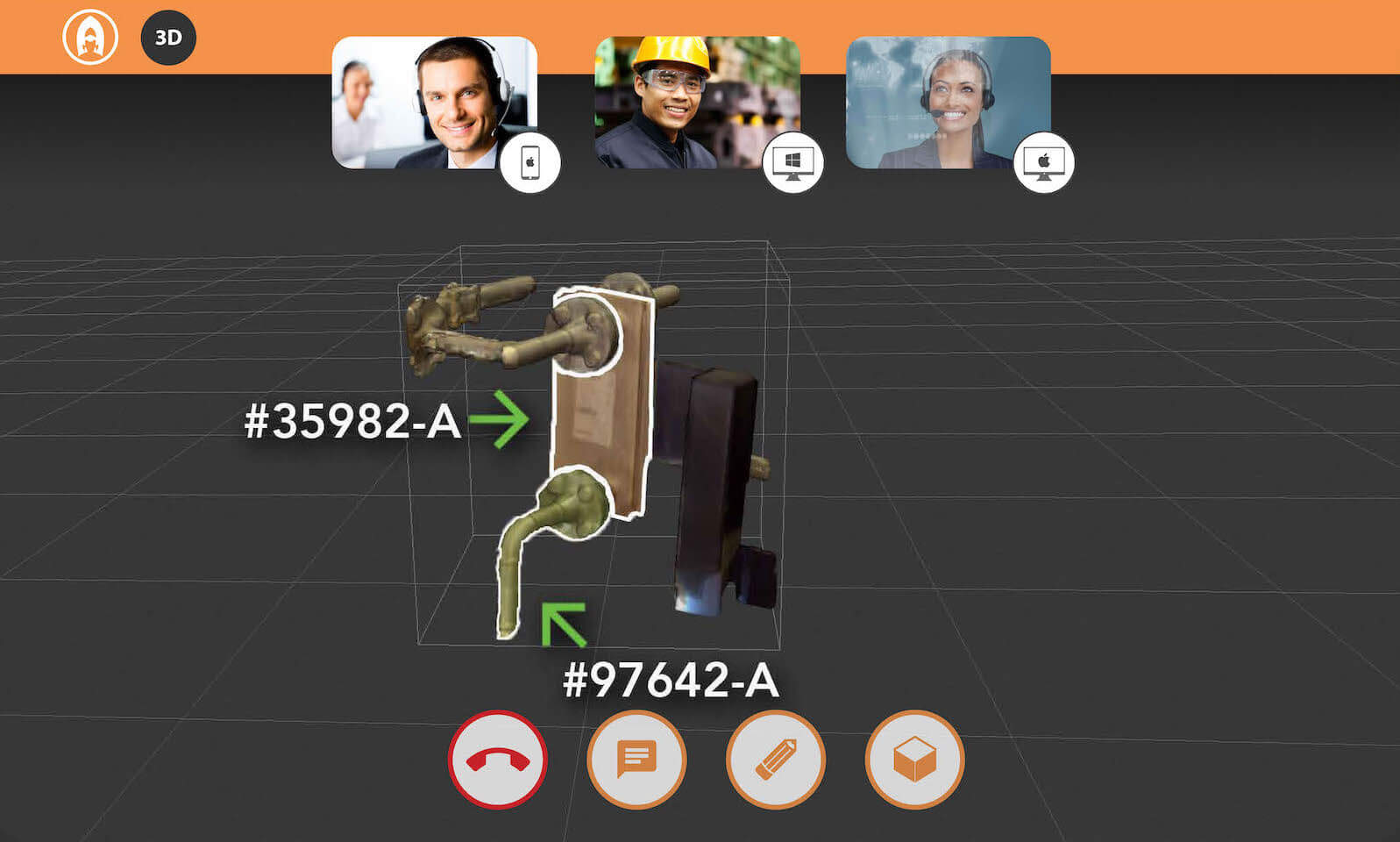
    The 3D environment was perfect to cut out the clutter of the background and show the end-user how parts fit together.

  • end-user

    When the end-user opens the app, they are presented the option to start a meeting and invite attendees. The color palette was intentionally limited in this beta stage so the product could transform as we received customer feedback.

    Weather app image
  • a picture is worth a thousand words

    This screen shows the camera function with the option for 2D or 3D scanning. I designed the interface with limited UI. I wanted the user to very quickly understand the features.

  • 3d scanning

    This screen shows camera scanning to better display the parts in a 3D environment, which can then be shared with an off-site expert.

  • room of requirement

    Managing meetings was an important feature of the Atmo app. This screen shows the Favorites, Search and calling capabilities.

  • ar glasses

    Because the main users of the Atmo app would be line workers out in a field or in a manufacturing setting, it was important to show a use case for AR glasses or goggles. This screen shows highlighted parts with additional information.

  • EXPERTs’ EXPERIENCE

    This is the Expert view. The expert user can view the end-user’s video, annotate and move between a 2D and 3D environment to help with the solution.

  • VIRTUAL REALITY

    The 3D environment was perfect to cut out the clutter of the background and show the end-user how parts fit together.

The Results 🎯

The Results 🎯

The Results 🎯

A simple-to-use interface across multiple devices.

Supporting Campaign Materials

Supporting Campaign Materials

Supporting Campaign Materials

  • insite Augmented Reality App
    Branding & Marketing

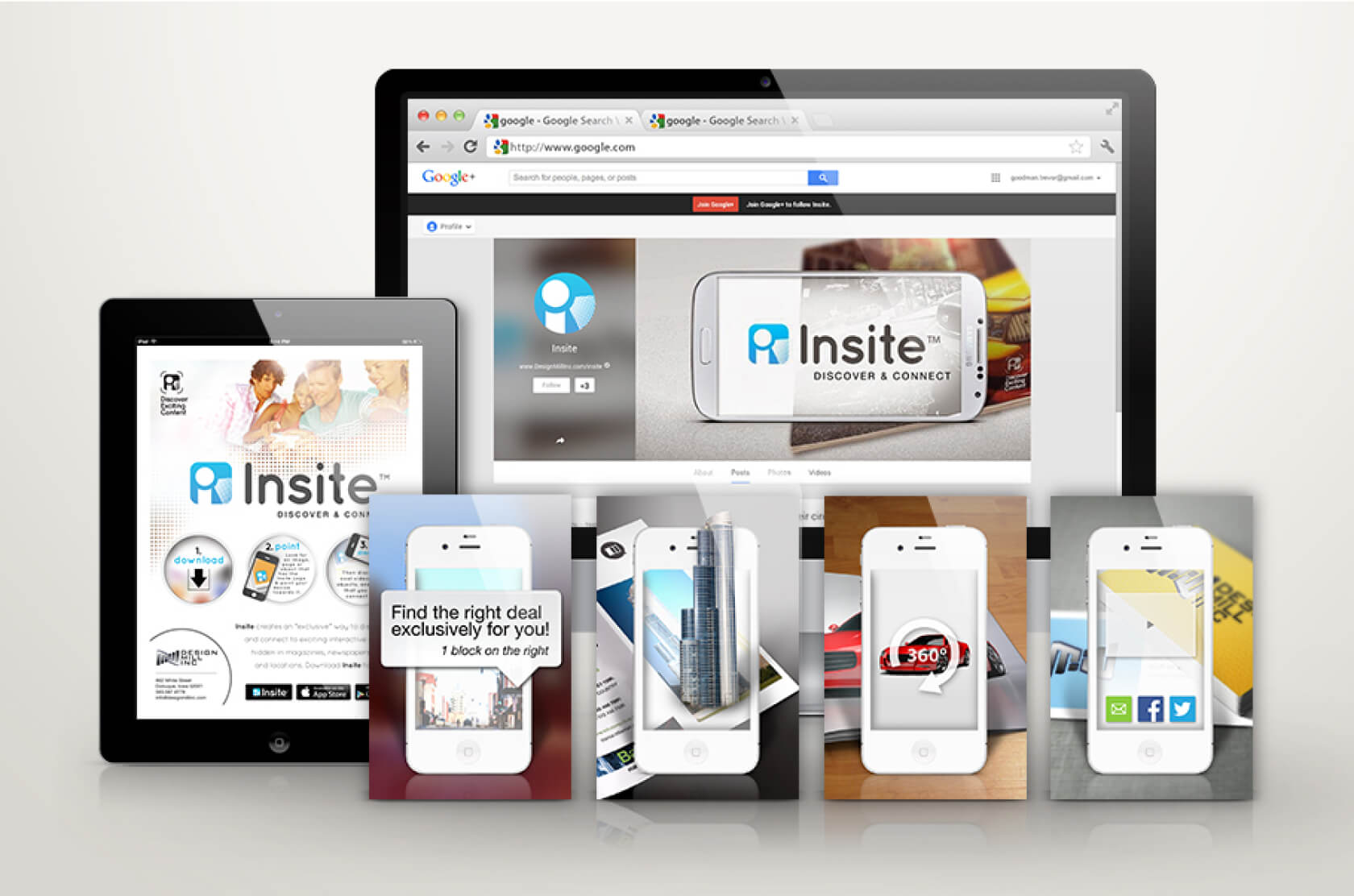
    Along with my work for the Atmo app, I worked with the Atmo team as a contractor to design the app branding and marketing for Insite. When you held your phone or tablet while using the Insite browser, layers of digital information – video, photos, sounds – appeared directly on top of the items you see in the world around you.

  • Artemis sales app branding

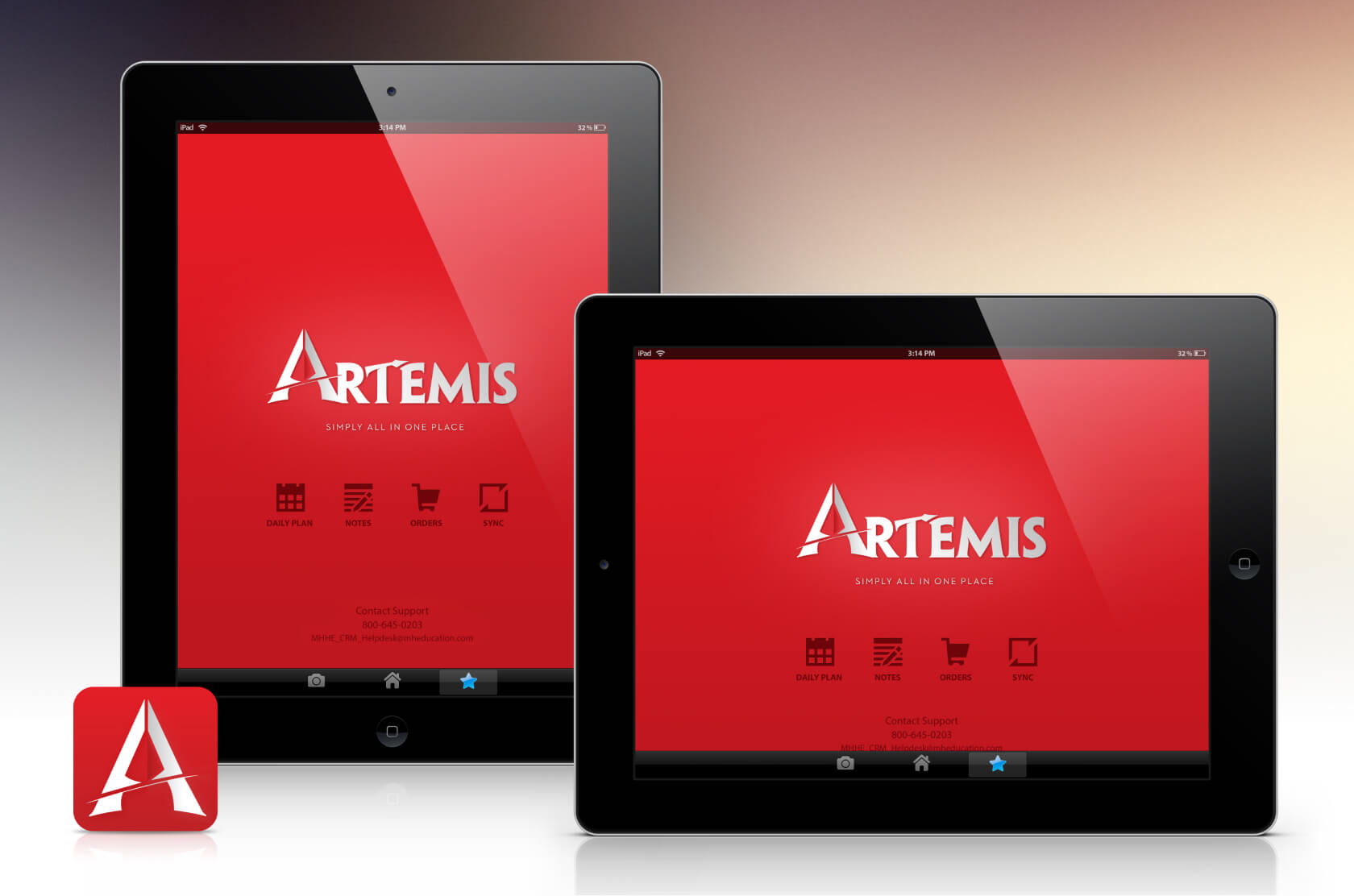
    The Artemis app was a high-profile custom iPad application that every McGraw-Hill sales rep used to view and edit all of their contacts, schedules, priorities, textbooks, client office hours and more. Out of users surveyed, 98% said they “use the app daily”.

  • Artemis sales app branding

    The Artemis app was a high-profile custom iPad application that every McGraw-Hill sales rep used to view and edit all of their contacts, schedules, priorities, textbooks, client office hours and more. Out of users surveyed, 98% said they “use the app daily”.

  • insite Augmented Reality App
    Branding & Marketing

    Along with my work for the Atmo app, I worked with the Atmo team as a contractor to design the app branding and marketing for Insite. When you held your phone or tablet while using the Insite browser, layers of digital information – video, photos, sounds – appeared directly on top of the items you see in the world around you.

© 2024 – Trevor Goodman

© 2024 – Trevor Goodman

© 2024 – Trevor Goodman